Laravel + VueJS + Ngrok
As I mentioned in a previous article about testing Apple and Google Pay, I’m using an amazing service from Ngrok, it allows to expose your local dev server so it can be a accessible to the internet. Of course there are options to do it like Expose, Laravel Herd or CloudFlare Tunnels(I’m a caveman and i’m not using them), pick your poison(of course some of them come with a price).
Installation
Go to the ngrok website and register(it has the option to use Google or Github account)
After you are in you will on the the dashboard guide how to install their client depending on your OS
When you have it installed it’s dead simple:
ngrok http <your-local-url>and this it will expose your route to a generated public URL with an SSL that you can use.
One small thing: The first time you open the URL a Ngrok generated page will appear on which you should confirm that you trust the developer enough to visit it.
Press enter or click to view image in full size
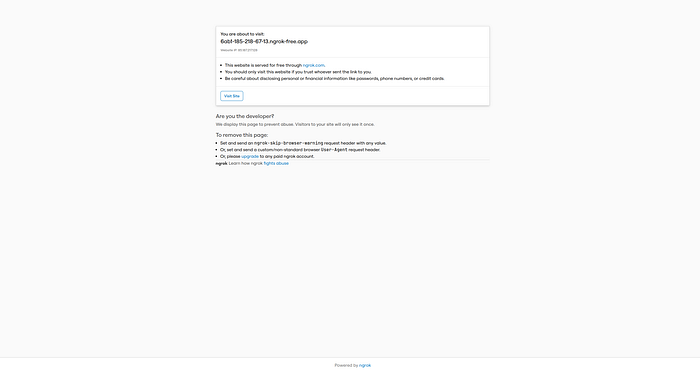
Ngrok privacy page
Setup Laravel
In order to use it for testing with your project what you need to do is:
In your environment file
.envset the ngrok URL as theAPP_URLand all the other URLs (session domain, cookies domain etc.)Since it’s
devenvironment your project is probably not setup for production and the fact the URLs from Ngrok and it usesHTTPSyou need explicitly say that your project assets will be served fromHTTPS
//  App\Providers\AppServiceProviders.php

  /**
     * Register any application services.
     */
    public function register(): void
    {
        ...

        if (! $this->app->isProduction()) {
            URL::forceScheme('https');
        }

        ...
    }
to avoid pesky errors in your browser console, which will prevent the project from loading properly.
Setup Vue
For the Vue part of your project it’s only one simple thing that you need to do:
npm run buildwhich will build all your assets for production
Heads Up: When you do the build before trying to access the project, stop any
devserver you may have started…trust me it will save a lot time…
And that’s about it, now you need to open the generated URL which will looking something like this: https://0553-185-218-67-13.ngrok-free.app/
And you are good to go!
Conclusion
Ngrok is a great free service for exposing your dev URLs(and so much more), look around it, play with it, you’d be surprised how many things they provide.
Share this post