One way to debug mobile applications

I'm currently actively developing my Android application: Codepad, along the way there were a more than a few occasions where I need it to test my app on a real device, for this purpose there are two ways:
Using a USB cable
Wireless debugging
Of course the option with USB cable is way easier, but as often happen to me I learn things the hard way in this case: For this purpose the cable needs to be able to transfer data, not only to charge, so yeah keep that in mind before starting the process.
Both of those rely on the same thing: Enabling the Developer mode on your device which is pretty straight forward:
Settings -> Developer Options switch that on and you will have access to a few more options for debugging
Before using any of the debug features you need to temporarily disable the Auto Blocker
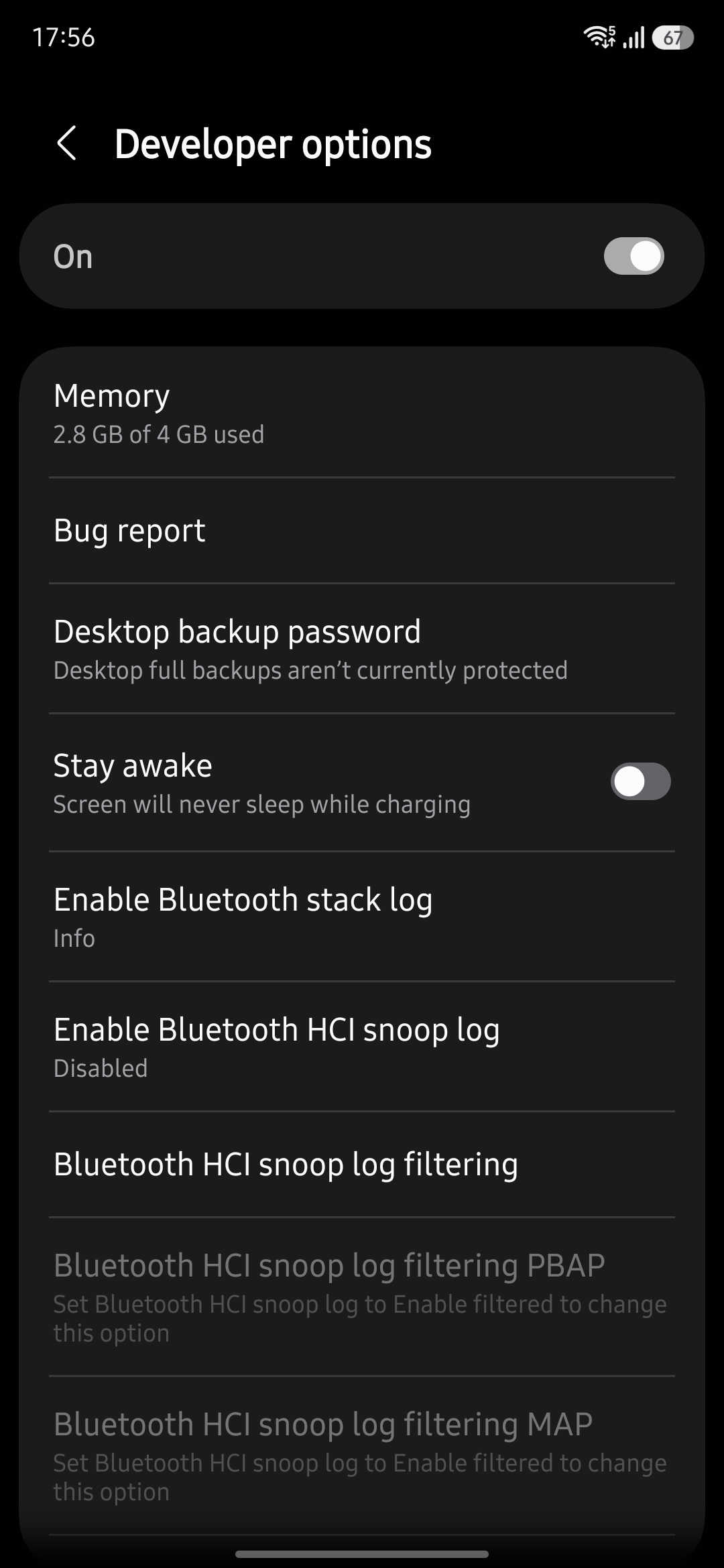
After you do that you will have around 30 minutes in which you can debug your application after that it will turn back on again.
After the device is available(Via USB or Wireless debugging) you need to pair with it in order to be able to receive any debug data:
adb pair PHONE_IP:PAIR_PORTThe PHONE_IP and PAIR_PORT can be found in the developers option menu Wireless debugging ones you paired with the device, you can connect to it:
adb connect PHONE_IP:DEBUG_PORT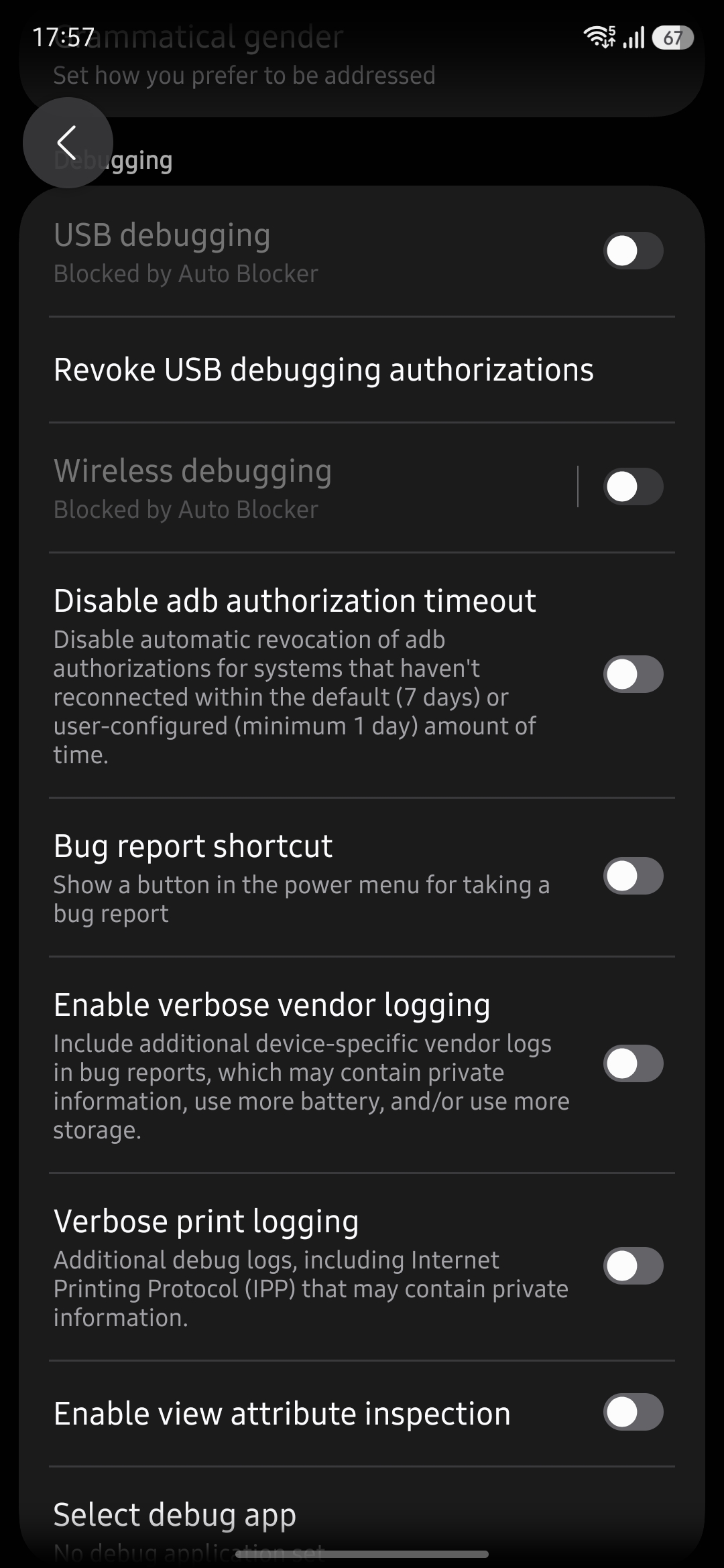
If the connection is successful: connected to PHONE_IP:DEBUG_PORT is displayed and after that you'd be able to see it when you run:
adb devices You can use Android logcat to capture the crash from the exact bundle:
Connect the phone
With wireless debugging enabled:
adb pair PHONE_IP:PAIR_PORTadb connect PHONE_IP:DEBUG_PORTadb devicesConfirm the device appears as device.
Capture a clean log
adb logcat -cadb logcat -v threadtime > /tmp/opencode/codepad-crash.logReproduce
Open the app, tap New snippet/Capture, wait for it to crash, then stop logging with Ctrl+C.
Extract relevant errors
grep -Ei \'FATAL EXCEPTION|AndroidRuntime|com\.ivalinvenkov\.codepad|Clipboard|NativePHP|SIGSEGV|kotlin|NullPointer|Exception' /tmp/opencode/codepad-crash.log | tail -150Also inspect the final lines:
tail -150 /tmp/opencode/codepad-crash.log5. Check the installed version
adb shell dumpsys package com.ivalinvenkov.codepad | grep -E 'versionCode|versionName'Confirm you are testing bundle version code 26, not the older Play bundle version code 13.In this case you can access all the logs and data you need for the debugging, but before you can do that you need to run:
adb logcat -v threadtime > /tmp/path-to-your-file/your-log-file.logfor example when my Codepad app kept crashing there was a log file in which there was more information regarding the issue:
'FATAL EXCEPTION|AndroidRuntime|com\.ivalinvenkov\.codepad|Clipboard|NativePHP|SIGSEGV|kotlin|NullPointer|Exception' \
/tmp/opencode/codepad-crash.log | tail -150
10-28 16:02:15.574 31173 31173 E AndroidRuntime: 	at androidx.compose.runtime.internal.ComposableLambdaImpl.invoke(r8-map-id-0a2fd2611e2e21ca788a62b11d2d8fdde95cc122e854816e79523bdc6a9b338e:11)
10-28 16:02:15.574 31173 31173 E AndroidRuntime: 	at androidx.compose.runtime.internal.ComposableLambdaImpl.invoke(r8-map-id-0a2fd2611e2e21ca788a62b11d2d8fdde95cc122e854816e79523bdc6a9b338e:2)
That was the problem with my app and it kept crashing when I try to access a particular part of it, so yeah it's pretty useful to have such things at your disposal.
My particular experience is with NativePHP, although I assume it will be the same for developing with different tools on Android(I have no clue what needs to be done on iOS)
Conclusion
First of all I love developing with NativePHP with all new things cooked up by the core team I'm all kinds of excited to build more and more apps(Not so much about testing them, but more on that later). Go ahead create great mobile apps with PHP this kind of sentence was a nonsense a few years back, what times to be alive oh boy
Share this post